What is Contrast Photo Editing?
In the world of photography, contrast photo editing plays a critical role in transforming ordinary images into captivating visual stories. It’s the secret sauce that can enhance a photograph, making it stand out and resonate with viewers. Whether you’re a professional photographer or a novice, understanding and mastering contrast photo editing can significantly impact your work, especially in the realm of brand and logo design.
Understanding Contrast in Photography
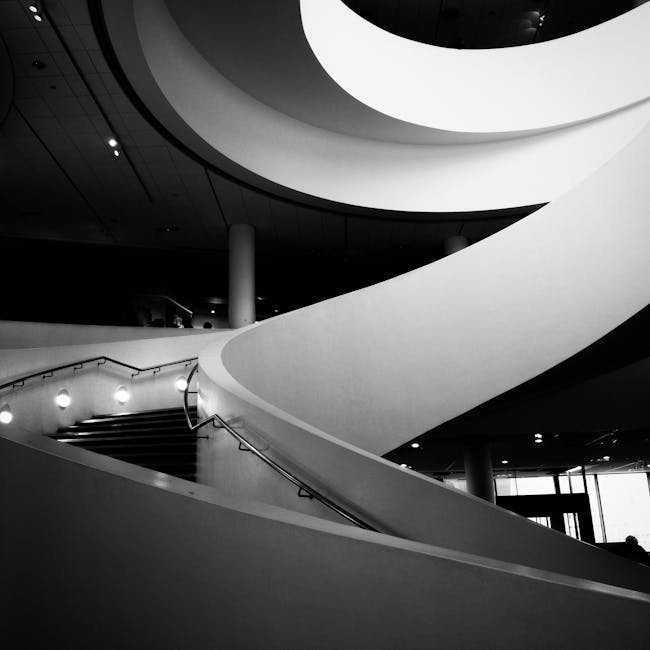
Contrast in photography refers to the difference between the lightest and darkest parts of an image. This variance is what gives an image depth and dimension, allowing certain elements to pop while others recede into the background. For example, a high-contrast image might feature very bright highlights and very dark shadows, creating a dramatic effect. On the other hand, low contrast might result in a softer, more subdued look.
Types of Contrast
There are several types of contrast that photographers can play with:
-
Tonal Contrast: This involves the difference between light and dark tones in an image. High tonal contrast creates stark differences and a more dramatic look, whereas low tonal contrast results in a more muted image.
-
Color Contrast: This refers to the difference between colors. Complementary colors, such as red and green or blue and orange, are often used to create striking color contrasts in photography.
-
Brightness Contrast: This type of contrast deals with the intensity of light areas versus dark areas. Brightness contrast can be used to draw attention to specific elements within a frame.
For a deeper dive into contrast in photography, Understanding Contrast in Photography offers valuable insights.
Importance of Contrast in Visuals
Contrast isn’t just about aesthetics; it’s a tool for storytelling. It guides the viewer’s eye and can convey emotions or highlight important aspects of a composition. Imagine a photograph with no contrast—it would appear flat and lifeless. Contrast adds energy and mood, making visuals not only engaging but also memorable.
Techniques for Contrast Photo Editing
Contrast photo editing involves various techniques that can be applied to enhance an image’s appeal. These methods can be employed using different software tools to create the desired effect.
Using Adjustment Layers
Adjustment layers are a non-destructive way to edit photos. They allow you to make changes to contrast without permanently altering the original image. By adjusting the contrast layer, you can experiment freely, fine-tuning the balance until you achieve the perfect look.
Curves and Levels Adjustments
Both curves and levels are powerful tools in photo editing software like Adobe Photoshop. Curves allow for precise control over the tonal range, while levels can be used to adjust brightness and contrast. Manipulating these can result in images with rich contrast and depth.
High Dynamic Range (HDR) Imaging
HDR imaging is a technique used to capture a greater range of luminance, enhancing contrast and detail in photos. By merging multiple exposures, HDR brings out the best in both the highlights and shadows, creating a balanced and vivid image.
Best Software for Contrast Photo Editing
Choosing the right software is essential for effective contrast photo editing. Here are some of the top options:
Adobe Photoshop
Adobe Photoshop is an industry-standard tool that offers a wide array of features for editing contrast. Its capabilities include adjustment layers, curves, and HDR processing, making it a favorite among professionals for detailed image editing.
Lightroom
Lightroom is another popular choice, especially for photographers who prefer a more streamlined workflow. It offers intuitive controls for enhancing contrast and is particularly effective for batch editing large collections of photos.
Mobile Apps
For on-the-go editing, mobile apps like Snapseed and VSCO offer powerful tools for contrast adjustments. These apps are perfect for quick edits and allow you to enhance your photos right from your smartphone.
Practical Examples of Contrast Photo Editing
Examining real-world examples can provide insight into how contrast photo editing can be effectively applied.
Case Studies in Brand Design
Many successful brands use contrast in their logos and marketing materials to create a strong visual identity. For instance, the high contrast in Apple’s logo against a simple background highlights its sleek design, making it instantly recognizable.
Before and After Comparisons
Seeing the impact of contrast editing through before and after comparisons can be eye-opening. A bland, flat image can be transformed into a dynamic visual with the right contrast adjustments, showcasing the power of this technique.
Conclusion
Contrast photo editing is more than just a technical skill; it’s an art form that can elevate photography and design. Whether you’re enhancing a dramatic landscape or creating a standout logo, mastering contrast can make all the difference. By understanding the types of contrast and employing effective editing techniques, you can create images that captivate and leave a lasting impression.
 Photo by Charles Pragnell