What is Blur Gradient Photoshop?
In the ever-evolving world of digital design, the use of blur gradients in Photoshop is making waves. These gradients aren’t just about colors fading into one another; they add depth, nuance, and a touch of sophistication. Whether you’re crafting a logo or designing an entire brand identity, blur gradients can transform ordinary visuals into something extraordinary. In this article, I’ll walk you through the concept of blur gradients, how you can create them in Photoshop, and their applications in the design world.
Understanding Blur Gradient in Photoshop
What is a Gradient?
Before diving into blur gradients, let’s understand what a gradient is. In Photoshop, a gradient is a smooth transition between two or more colors. They’re used to add dimension, light, and depth to designs. There are several types of gradients, such as linear, radial, angle, reflected, and diamond, each providing a different aesthetic effect. Gradients can be a powerful tool in creating visually appealing designs, giving them a professional touch.
Introduction to Blur Gradients
Blur gradients take the concept of gradients a step further by incorporating blur effects into the transition between colors. This creates a soft, ethereal look that can be both modern and timeless. Blur gradients can evoke emotions, create visual focus, and add a sense of dynamism to an otherwise flat image. They’re particularly popular in creating backgrounds that are meant to be subtle yet engaging.
Creating Blur Gradients in Photoshop
Here’s a step-by-step guide to creating your own blur gradient in Photoshop.
Step 1: Setting Up Your Document
First, open Photoshop and create a new document. Choose the dimensions based on your project requirements. It’s crucial to set the document size correctly from the start, as resizing later can affect the quality of your gradient.
Step 2: Applying the Gradient Tool
Select the Gradient Tool from the toolbar. You can access it by pressing ‘G’ or selecting it manually. Choose a gradient preset or create a custom one by clicking on the gradient bar in the options panel. Drag your cursor across the canvas where you want the gradient to appear. The direction and distance of your drag will affect the gradient’s appearance.
Step 3: Adding Blur Effects
To add a blur effect, go to the ‘Filter’ menu, choose ‘Blur’, and then select ‘Gaussian Blur’. Adjust the radius until you achieve the desired blur effect. For more detailed guidance, you can refer to applying blur in a gradient manner.
Step 4: Adjusting Colors and Blending Modes
Fine-tune your gradient by adjusting the colors. You can do this by double-clicking the gradient bar in the options panel. Experiment with blending modes to achieve different effects. Blending modes can enhance the interaction between the gradient and other elements in your design, adding depth and complexity.
Applications of Blur Gradient in Brand and Logo Design
Enhancing Brand Identity
Blur gradients can be a game-changer in brand identity. They add a layer of sophistication and modernity to logos, making them stand out. A well-designed blur gradient can evoke feelings and communicate a brand’s essence without words.
Creating Depth and Dimension
Incorporating blur gradients into logo designs can create depth and dimension, making the logo more engaging. It’s like adding a third dimension to a flat design, making it more memorable and impactful.
Trends in Logo Design
The use of blur gradients is currently trending in the world of logo design. Many brands are opting for these subtle yet impactful designs to keep up with modern aesthetics. As you explore current design trends, you’ll notice how influential blur gradients can be.
Tips and Best Practices for Using Blur Gradients
Choosing the Right Colors
Color selection is crucial in creating an appealing blur gradient. Consider color theory and choose colors that complement each other. Harmonious colors can create a pleasing transition, while contrasting colors can add vibrancy and energy.
Balancing Complexity and Simplicity
While blur gradients can add depth, it’s essential to balance complexity with simplicity. Overdoing the effect can overwhelm your design, making it hard to focus on the main elements. Aim for clarity and ensure that the blur gradient enhances rather than detracts from your design.
Conclusion
Blur gradients in Photoshop offer a unique way to elevate your design projects. They’re versatile, adding depth, interest, and a modern touch to brands and logos. As you experiment with blur gradients, you’ll discover new ways to express creativity and enhance your visual storytelling. So go ahead, dive into Photoshop, and see how blur gradients can transform your designs into something truly memorable.
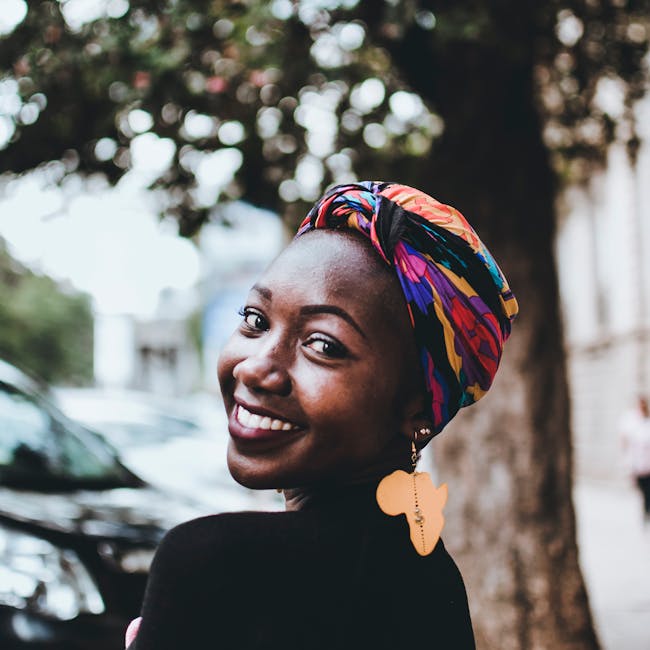
 Photo by Mwabonje Ringa